
 We have added direct support for Magewell USB devices in DrasticScope and other Drastic software.
This support provides a low cost solution to get 10 bit signals into DrasticScope, where you can then use Drastic's H/S Scope in 4KScope, HDRScope, and 2110Scope to calibrate cameras and lighting setups. This page provides setup details.
Magewell for 10 Bit Support in DrasticScope
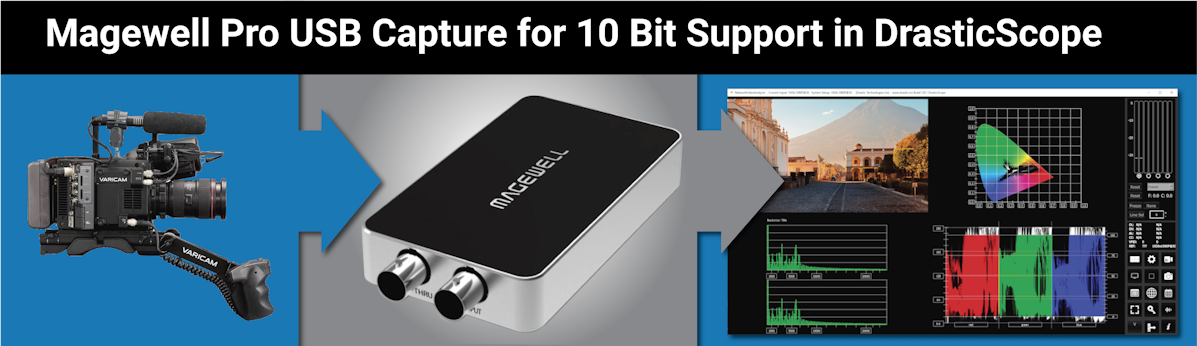
Magewell designs and develops innovative hardware and software for media capture, conversion and streaming. These devices are simple to operate, cost-effective, and reliable. They also provide an inexpensive solution to use with our signal analysis software. Their USB Pro Series supports 10 bit. Their other USB capture boards top out at 8 bit, but will still work (just not in 10 bit).
Magewell Pro devices provide a format selection dialog where 3 formats are in an 'active' list, and available for selection. Other formats are maintained in an 'inactive' list, unavailable for selection. For our use case, since the default formats do not include a 10 bit mode in the 'active' list, you can add it in. For this purpose, you can use the device utility.
Run the Magewell Utility
- Run the Magewell USB Capture Utility that comes with the board.
If the default settings have been maintained, the board will open with a selection that provides three 8 bit formats.
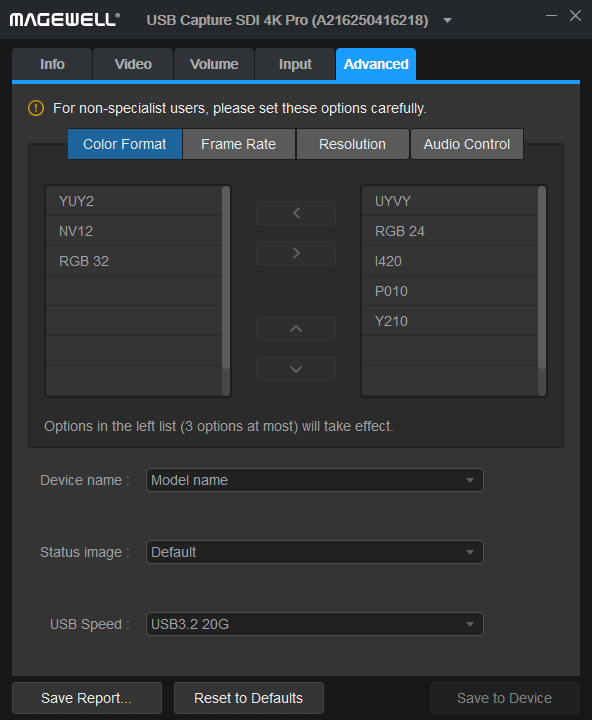
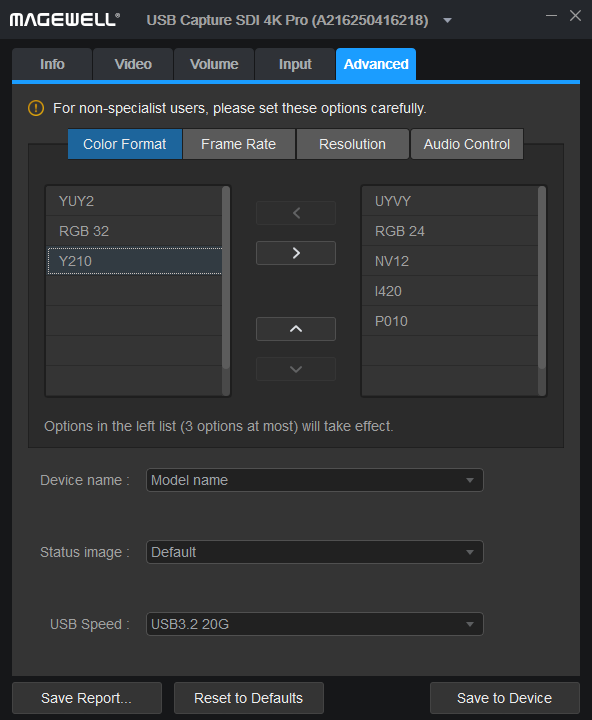
To make a 10 bit color format available, we recommend you remove NV12 (8 bit format) and add Y210 (10 bit format).
Remove NV12
- Click the Advanced tab
- Click on NV12
- Use the right arrow to remove it from the selected formats and send it to the possible formats.
Add Y210
- Click on Y210
- Use the left arrow to add it to the selected formats.
- Click Save to Device.
Run DrasticScope
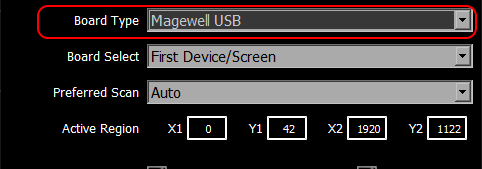
- open the Config window.
- In the Board Type pulldown menu, select Magewell USB.
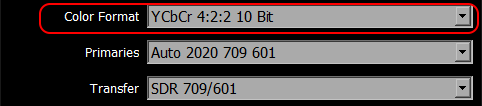
- In the Color format pulldown menu, select YCbCr 4:2:2 10 Bit.
IMPORTANT: The Magewell USB driver is NOT compatible with BlackMagic's DirectShow/Windows audio drivers. To use Magewell USB direct, you have to disable them or remove the BlackMagic drivers entirely.
Also note: Currently only supported on Windows x64
Trademarks, Registered Trademarks, and Copyrights
Trademarks, Registered Trademarks, and Copyrights
Drastic Technologies, Ltd. – trademarks specified here.Blackmagic Design Pty. Ltd. - DaVinci Resolve, DaVinci Fusion, UltraStudio, DeckLink, Intensity Pro 4K, UltraScope, and RED are either trademarks or registered trademarks of Blackmagic Design Pty. Ltd. or its subsidiaries in the United States and/or other countries.
Microsoft Corporation – Microsoft: Windows®, Video For Windows (VFW), DirectShow, Microsoft, Skype, Microsoft Azure, Microsoft Teams, Wave Mapper, Microsoft, Windows NT|2000|XP|XP Professional|Server 2003|Server 2008 |Server 2012, Windows 7, Windows 8, Windows 10, Media Player, Media Encoder, Windows Defender, Microsoft Office, .Net, Internet Explorer, SQL Server 2005|2008|2012|2014, Windows Media Technologies and Internet Explorer are trademarks of Microsoft Corporation.
Nanjing Magewell Electronics Co. - MagewellTM , ULTRA STREAM® and (the MAGEWELL Logo) are trademarks or registered trademarks of Nanjing Magewell Electronics Co.
Panasonic Holdings Co., Ltd - Panasonic, and Varicam are trademarks of Panasonic Holdings Co., Ltd