
 Drastic Technologies has provided tools and solutions for Adobe editor workflows for decades, and expands on this relationship with the release of the MediaReactor S3/TAMS/Google/Azure UXP Panel. The panel is available for free, but it requires a licensed install of MediaReactor software to run.
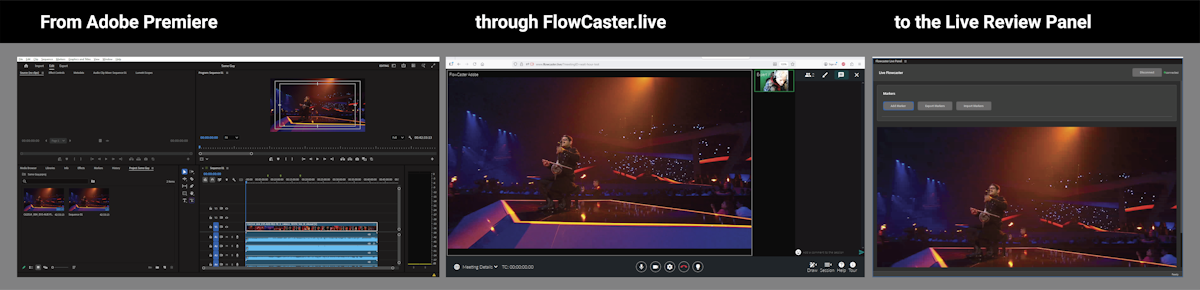
The MediaReactor Adobe S3/TAMS/Google/Azuer Panel is an Adobe UXP Extension Panel, a web application using a stack of technologies known as Unified Extensibility Platform (UXP), which is a new architecture that provides commonly used APIs across different Creative Cloud applications. The panel allows you to connect to remote network storage use S3, TAMS, Azure or Google cloud access protocols, list their contents and add them directly to Adobe Premiere's bin for instant editing. Adobe then uses our MediaReactor plugin for Windows or MacOS to read and edit the files in real time, including files recording into TAMS stores. It supports all the file formats MediaReactor does, inlcluding MXF, MOV, AVI, TS, GXF, LXF, MP4, fMP4/DASH, HLS, etc.
The below instructions assume you have a licensed install of MediaReactor software on the system.
Install the Panel
The panel is available for immediate download. Right click and select Save Link As:
https://www.drastic.tv/downloads/mediareactor/net.mediareactor.panel_premierepro.ccx
Once it has been downloaded you can install it by double clicking on the .ccx from your downloads folder.

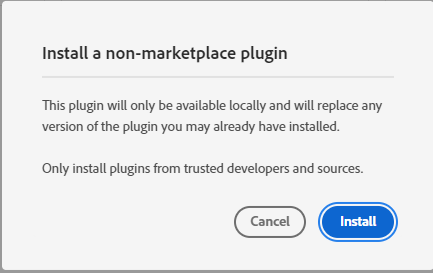
When you double click, this opens the Creative Cloud interface, where it informs you this is a non marketplace plugin, and you should proceed accordingly.
Click Install to begin the install.
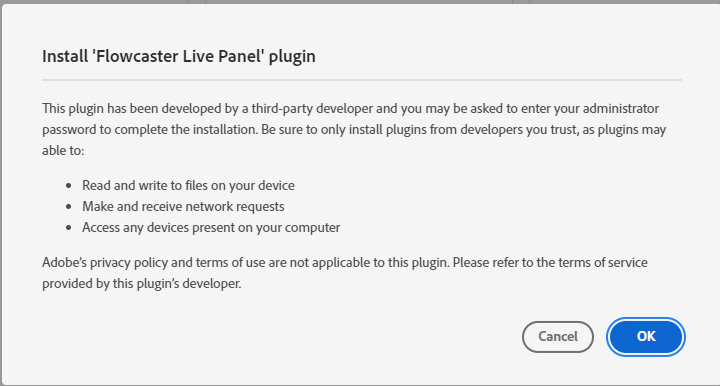
You will be prompted to confirm the plugin can access your system, and use the relevant features of the application.
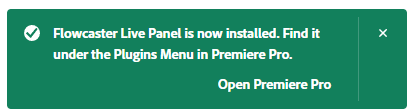
A successful installation will display the below message, and let you know where to open the plugin.
How to Use the MediaReactor UXP Panel
Run the plugin from Adobe Premiere, under Window | UXP Plugins | MediaReactor Panel | MediaReactor Live Panel.
Trademarks, Registered Trademarks, and Copyrights
Trademarks, Registered Trademarks, and Copyrights
Adobe, Inc. - Adobe, the Adobe logo, Adobe Premiere, Adobe After Effects, Creative Cloud, Frame.io, and Iridas are either registered trademarks or trademarks of Adobe in the United States and/or other countries.aescripts + aeplugins - ZXPInstaller Copyright aescripts + aeplugins 2023
Avid Technology, Inc. - Avid Media Composer®, Avid MediaCentral®, Avid Interplay®, and Avid NewsCutter® are either trademarks or registered trademarks of Avid Technology, Inc. or its subsidiaries in the United States and/or other countries.
Blackmagic Design Pty. Ltd. - DaVinci Resolve, DaVinci Fusion, UltraStudio, DeckLink, Intensity Pro 4K, UltraScope, and RED are either trademarks or registered trademarks of Blackmagic Design Pty. Ltd. or its subsidiaries in the United States and/or other countries.
Drastic Technologies, Ltd. – trademarks specified here.
All other trademarks are the property of their respective owners.